Smart strategies to maximize ROI with your Sawgrass system
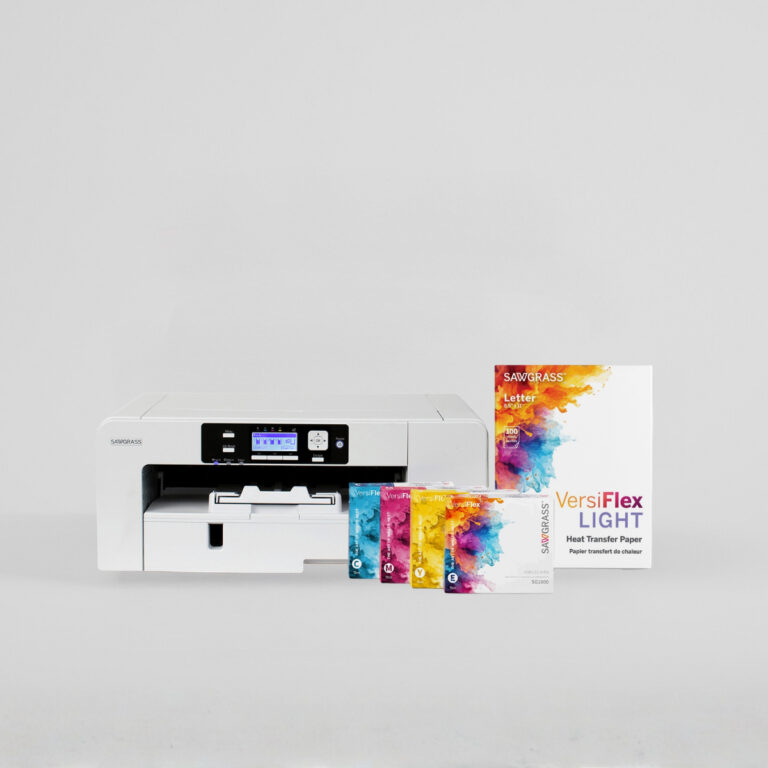
When you invest in a Sawgrass printer, you are investing in business growth. Whether you print custom t-shirts, mugs, keychains, or promotional products, one goal drives profitability: reduce waste, improve efficiency, and increase profit.
In this workshop recap, Sawgrass Education Manager Rhonda shares simple, practical strategies to help you improve your return on investment by reducing waste across your workflow, from design to printing to pressing.
Why reducing waste matters for ROI
Every reprint costs money. It also costs time you could spend fulfilling orders. Reprints can use:
- Ink
- Sublimation paper
- Blanks
- Production time
- Profit
When you reduce waste, you improve your ROI because you:
- Increase profit margins
- Improve production efficiency
- Extend the life of your printer
- Pay off your Sawgrass system faster
If you want to reduce waste and increase profit with Sawgrass, start by tightening the steps that cause the most reprints.
Why choose Sawgrass in the maker market
If you are comparing Sawgrass with Epson or other options, consider what matters when you are running a customization business. You need consistent output and a repeatable workflow that helps you deliver sellable results without constant trial and error.
Sawgrass is built for decoration and production workflows. That helps you reduce waste, avoid reprints, and protect your margins as you grow.
Use ganging and nesting to maximize paper usage
One of the easiest ways to reduce sublimation paper waste is by using ganging and nesting in the Sawgrass Print Utility. You fit more designs on each page and cut down on unused space.
What is nesting
Nesting means placing multiple copies of the same design on one sheet.
Use nesting for small items like:
- Keychains
- Magnets
- Earrings
- Small patches
Ways nesting reduces waste:
- Add multiple copies to one page
- Crop excess white space
- Adjust spacing
- Rotate to landscape when needed
- Use more of the printable area
What is ganging
Ganging means placing different designs on the same page, as long as they are going onto the same type of product so the color profile matches.
Example:
- 1 keychain design
- 2 magnet designs
- 3 small tags
This works well for small batch orders and mixed custom sets.
Bonus tip: use the Recents folder
The Sawgrass Print Utility saves jobs in your Recents folder. That means you can open and reprint without rebuilding layouts. Less setup time supports higher profit.
Choose high quality blanks to avoid costly reprints
Cheap blanks often lead to uneven results, which leads to reprints. Low quality blanks can cause:
- Uneven poly coatings
- Flaking finishes
- Warping in the press
- Poor color transfer
- Inconsistent quality
High quality sublimation blanks are designed for sublimation and typically provide more consistent coatings and more reliable transfers. When blanks fail, you waste the blank, the paper, the ink, and your time.
Blanks where quality matters most include:
- Wind spinners
- Glitter drinkware
- Coasters
- Wood surfaces
Be smart about fabric choices, especially for VersiFlex
If you are using VersiFlex or pressing cotton garments, watch for fabrics that shift during pressing. Some dyes react to heat and can create inconsistent results.
Common trouble spots include:
- Heathered colors
- Ash tones
- Certain cotton brands
If you see color shifting, test another brand before producing a full order.
Pro tip: keep scrap fabric for testing
Testing on scrap reduces waste. Keep:
- 100 percent polyester scraps for sublimation testing
- 100 percent cotton scraps for VersiFlex testing
Keep your Sawgrass printer turned on
This is a built-in way to reduce waste. Sawgrass printers perform automatic self-maintenance cycles every 10 to 12 hours when not actively in use.
These cycles help keep ink moving. When ink sits too long, particles can settle, lines can clog, and print quality can suffer. Poor print quality often leads to reprints.
Best practices:
- Leave the printer plugged in
- Leave the printer turned on
- Only unplug when necessary, such as storms, moving, or trade shows
- Plug it back in immediately afterward
Printers left off for long periods are more likely to develop clogging issues.
Always check ink expiration dates
Expired ink can increase the risk of:
- Clogging
- Color inconsistencies
- Print defects
Using in-date Sawgrass ink helps protect print quality, printer health, and your profit margin.
Use the Sawgrass ROI calculator to set sales goals
Want to estimate how quickly your printer can pay for itself? Use the Sawgrass ROI Calculator on the Sawgrass website.
Example goals:
- Print and sell 50 custom t-shirts
- Print and sell 72 custom mugs
- Offer small batch personalized products for local schools, teams, and businesses
Reducing waste plus steady production can shorten your payoff timeline.
Small changes that create big profit
Here is a quick recap of how to reduce waste and increase profit with Sawgrass:
- Use ganging and nesting in the Print Utility
- Crop artwork to reduce excess white space
- Rotate layouts to use more of the page
- Choose high quality sublimation blanks
- Test fabrics before full production
- Keep your printer powered on for maintenance cycles
- Use in-date Sawgrass inks
- Save and reuse print jobs
Every sheet of paper saved and every reprint avoided improves ROI.
Final thoughts
Reducing waste is about more than efficiency. It is about protecting your margins. When you print smarter, use quality materials, and maintain your equipment properly, you protect your investment and grow your business faster.
Ready to reduce waste and increase profit with Sawgrass? Start with your next print job.
Need help
The Sawgrass Education Team is here to support you.
- Visit care.sawgrassink.com for technical support
- Join workshops on Wednesdays at 2:00 PM Eastern hosted live on Youtube
- Watch tutorials on the Sawgrass YouTube channel
- Listen to the Ink Differently podcast on Spotify, Amazon Music, or Apple Music